
Published on Jun 04, 2026

Super Admin
Geofenced Time Tracking for Security Guards: FieldServicely Guide
Security guard companies depend on one basic promise: the right guard must be at the right post at the right time.
That promise sounds simple. In real operations, it becomes hard to manage across many client sites, shifts, guards, supervisors, and service contracts.
A guard may work at a warehouse at night. Another may cover a hospital lobby. Another may patrol a gated community, office tower, retail store, construction site, or parking lot.
Managers cannot stand at every post. Clients still expect proof that coverage happened as agreed.
Geofenced time tracking helps solve this problem.
With FieldServicely, security companies can set virtual boundaries around client sites. Guards can clock in and out from approved locations, while managers get a clearer record of attendance, shift coverage, and work hours.
What Geofenced Time Tracking Means for Security Guard Companies
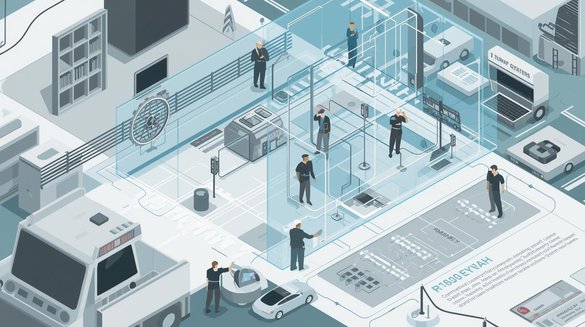
Geofenced time tracking uses GPS-based virtual boundaries around a work location.
A security company can set a geofence around a client site, guard post, building entrance, parking area, gatehouse, warehouse, or patrol zone.
When a guard reaches the approved area, the system allows or records a clock-in. If the guard tries to clock in from outside the boundary, the system can flag the issue or prevent the entry, depending on the setup.
This gives managers a stronger attendance record than a manual timesheet.
A paper sheet may show that a guard started at 8:00 PM. A geofenced time record can show whether that clock-in happened from the assigned site.
That difference matters in security operations.
Why Security Guard Companies Need Location-Based Time Tracking
Security work depends on presence.
If a guard is not at the assigned post, the service has failed. The client may face property risk, safety concerns, compliance issues, or business disruption.
Traditional time tracking does not always prove site attendance. A guard can write down a start time later. A supervisor may not catch a late arrival until the client complains.
Geofenced time tracking gives companies a faster way to verify guard attendance.
It helps answer important questions:
- Did the guard reach the correct site?
- Did the shift start on time?
- Did the guard clock in from the approved location?
- Did the guard leave early?
- Did the timesheet match the actual shift?
These answers help security companies reduce disputes, protect client trust, and manage field teams with better control.
Why FieldServicely Is the Best Choice for Geofenced Time Tracking in Security Operations
FieldServicely is designed to help security companies manage field attendance with greater accuracy and accountability.
Unlike manual attendance systems that rely on paper logs or supervisor verification, FieldServicely exceptionally group for geofencing time tracking, as it combines employee GPS tracking, scheduling, timesheets, payroll, and reporting in one platform.
This allows security managers to verify that guards arrive at the correct location before clocking in, monitor attendance across multiple sites, and maintain accurate records for payroll and client reporting.
The platform is particularly valuable for companies managing multiple guards, rotating shifts, and geographically dispersed client locations.
By connecting attendance verification with broader workforce management tools, FieldServicely helps security companies improve operational visibility while reducing administrative workload.
How FieldServicely Supports Geofenced Guard Attendance
FieldServicely, a simple field service management software, helps security companies manage location-based attendance through geofenced clock-ins and mobile time tracking.
Managers can create client locations inside the system. They can set a boundary around each site and assign guards to the correct shift.
When guards arrive, they can clock in through the mobile app. The system checks the location against the approved geofence.
This helps supervisors confirm that guards report from the right post, not from home, a nearby road, or another location.
FieldServicely also helps organize schedules, job sites, time records, timesheets, payroll, and reports. That makes geofenced time tracking part of a wider field workforce management process.
The Operational Value for Security Teams
Geofencing gives security companies more than a location check.
It improves daily guard operations.
Supervisors can see attendance issues sooner. Managers can review cleaner time records. Payroll teams can process hours with fewer disputes. Clients can get stronger proof when they question site coverage.
This is useful for companies that manage many guards across multiple posts.
A small team may track attendance through calls and texts for a while. But as the company grows, manual tracking becomes messy.
Missed punches, late arrivals, early exits, and unclear overtime can create real cost problems.
Geofenced time tracking adds structure.
Better Shift Accountability
Shift accountability is one of the biggest benefits.
A guard should not be able to clock in for a site they have not reached. A second guard should not clock in on someone else’s behalf.
Geofencing helps reduce these risks.
It does not replace good hiring, training, or supervision. But it makes false attendance harder to hide.
For security companies, this creates a fairer system.
Reliable guards get accurate records. Managers get better proof. Clients get stronger confidence in coverage.
Fewer Payroll Disputes
Payroll disputes often start with unclear time records.
A guard may claim extra hours. A supervisor may remember a different start time. A client may question whether a shift started late.
Manual timesheets make these disputes harder to solve.
FieldServicely can help security companies create cleaner timesheets from recorded clock-ins and clock-outs. When those records connect to location data, managers can review hours with more context.
This helps reduce overpayment, underpayment, and payroll corrections.
Accurate pay also supports employee trust. Guards want fair pay for real hours worked. Companies want to pay for verified work time.
Geofenced time tracking helps both sides.
Faster Response to Late Arrivals
Late arrivals can damage a client relationship quickly.
A guard who arrives 15 or 20 minutes late may leave a site exposed. If the client notices before the supervisor does, the company looks unprepared.
Geofenced time tracking helps managers catch late clock-ins faster.
Supervisors can review who has arrived and who has not. If a guard misses the shift start, the team can contact the guard, send backup, or notify the client when needed.
This does not remove every staffing issue. But it improves response time.
In security operations, early awareness matters.
Stronger Client Confidence
Clients hire security companies for reliability.
They want to know that guards show up, stay on duty, and follow the agreed schedule.
Geofenced time records give security companies a better way to support client conversations. If a client asks whether a guard was on site, managers can review the attendance record instead of relying on memory.
This helps reduce tension.
It also makes the security company look more professional.
Clients may not need access to every internal record. But the company should have accurate records when questions arise.
Better Multi-Site Guard Management
Many security companies manage guards across several locations.
One supervisor may oversee office buildings, warehouses, apartment complexes, hospitals, schools, industrial sites, and retail locations in the same week.
Manual tracking creates gaps in this setup.
FieldServicely can help organize each site, shift, guard, and time record in one workflow. Geofencing adds location accuracy to that process.
This helps managers separate one site from another and review attendance by location.
It also helps reduce confusion when guards work rotating posts or multiple client locations.
Where Geofenced Time Tracking Works Best
Geofenced time tracking works best for fixed or semi-fixed security locations.
Strong use cases include:
- Office buildings.
- Warehouses.
- Retail stores.
- Construction sites.
- Hospitals.
- Schools.
- Parking lots.
- Gated communities.
- Apartment complexes.
- Industrial plants.
- Event venues.
- Logistics yards.
These sites have clear service areas. That makes it easier to create a useful geofence.
Mobile patrols can also use geofencing, but the setup needs more care. Patrol teams may need multiple checkpoints or route-based site boundaries instead of one fixed location.
The geofence should always match the real work pattern.
How to Set Up Geofenced Time Tracking in FieldServicely
A simple setup process works best.
First, create the client site inside FieldServicely. Use a clear site name, address, and work location details.
Second, set the geofence around the actual guard post or service area. The boundary should cover the real place where the guard needs to report.
Third, assign guards to the correct site and shift.
Fourth, explain the clock-in process to guards before enforcing the rule.
Fifth, test the geofence at the actual location.
Testing matters because GPS accuracy can change based on buildings, basements, gates, parking areas, and signal strength.
A good setup should feel practical in the field, not just accurate on a map.
Choosing the Right Geofence Size
The right geofence size depends on the site.
A small retail store may need a smaller radius. A large warehouse, factory, gated community, or industrial yard may need a wider boundary.
A geofence that is too small can block valid clock-ins. A geofence that is too large can reduce attendance accuracy.
Security companies should choose a radius that matches the real site layout.
For example, a guard booth near a gate may sit far from the main building. A parking lot post may cover a wide area. A warehouse site may include several entrances.
The goal is not to create the strictest boundary possible.
The goal is to confirm the guard reached the correct work area.
Common Problems to Watch For
Geofenced time tracking works best when managers understand its limits.
GPS signals may be weaker near tall buildings, basements, metal structures, rural sites, or underground parking areas.
A guard may also have location permissions turned off on the phone. Low battery, poor network, or old devices can create clock-in issues.
These problems do not mean geofencing is unreliable. They mean the company needs a practical exception process.
Supervisors should review failed clock-ins, location mismatches, and manual time requests with context.
A strong system uses data and judgment together.
How to Introduce Geofencing to Guards
Security companies should explain geofencing before rollout.
Guards need to know what the system tracks, when it tracks, and why it matters.
The message should be simple.
Geofenced time tracking confirms attendance at assigned job sites. It helps protect client coverage, payroll accuracy, and honest work records.
Managers should avoid presenting the system as a punishment tool.
That creates resistance.
A better approach is to frame geofencing as a fair process. Guards who arrive on time and work their shifts get clearer records. The company reduces disputes. Clients get better service proof.
Clear communication improves adoption.
Privacy and Trust Considerations
Location tracking should stay tied to work.
Security companies should track attendance and work-related site activity during assigned shifts. They should avoid unnecessary tracking outside work hours.
A written policy helps.
The policy should explain:
- What location data is collected.
- When tracking applies.
- Who can view the data.
- How the company uses the records.
- How employees can report issues.
- This protects the business and the guard team.
Good tracking should support operations, not create a culture of suspicion.
Geofencing and Guard Performance
Geofenced time tracking confirms site attendance, but it does not measure full guard performance by itself.
A guard can be at the right location and still fail to follow post orders. Another guard may have a technical clock-in issue but still perform the job well.
Managers should combine geofenced attendance with other performance signals.
These may include incident reports, patrol logs, supervisor checks, client feedback, post order compliance, response time, and shift notes.
This creates a more balanced review.
Geofencing proves presence. It should not replace supervision.
Best Practices for Security Guard Companies
Security companies should keep the setup simple at first.
Start with the most important client sites. Test geofencing before applying it across every location.
Use clear site names. Similar client names can create confusion for guards and supervisors.
Set realistic geofence boundaries. Field conditions should guide the setup.
Train guards before enforcing geofenced clock-ins.
Review attendance exceptions daily. Do not wait until payroll day.
Keep a backup process for real technical issues.
Use reports to spot patterns, not just one-time mistakes.
These steps help security companies get value without creating unnecessary friction.
Mistakes to Avoid
Security companies should avoid setting boundaries without checking the site layout.
A map may not show the real guard post, gatehouse, staff entrance, basement, service road, or parking area.
Companies should also avoid treating every failed clock-in as fraud.
Sometimes the guard is at the site, but the phone signal is poor. Sometimes the geofence needs adjustment.
Managers should avoid using GPS tracking without clear employee communication.
Hidden or unclear tracking damages trust.
The biggest mistake is using geofencing as a standalone fix. It works best as part of a full guard management process.
How FieldServicely Fits Into Security Operations
FieldServicely helps security companies connect geofenced time tracking with the rest of field workforce management.
The platform can support scheduling, job locations, GPS visibility, time tracking, timesheets, payroll, work verification, and reporting.
This matters because attendance is not an isolated task.
A clock-in affects shift coverage. Shift coverage affects client service. Time records affect payroll. Site data affects reporting.
FieldServicely helps bring these pieces into one system.
For security companies, that creates more operational control and fewer scattered records.
Conclusion
Geofenced time tracking gives security guard companies a stronger way to manage attendance, site coverage, payroll, and client accountability.
It helps confirm that guards clock in from the right location. It reduces false attendance, late-arrival blind spots, buddy punching, and manual timesheet disputes.
FieldServicely makes geofencing more useful by connecting it with scheduling, field visibility, time tracking, timesheets, payroll, and reports.
The best use of geofencing is balanced.
It should support trust, not replace it.
It should help supervisors manage better, not micromanage every guard.
It should give clients more confidence, payroll teams cleaner records, and guards a fairer attendance process.
For security guard companies that manage multiple sites and shifts, geofenced time tracking is no longer just a tech feature. It is a practical operations tool.

Safeguard Your Child Against Online Threat
Register Now Cancel Any Time
Available
on
Cancel Any Time
Available
on