
Published on Aug 07, 2026

Prasanta R
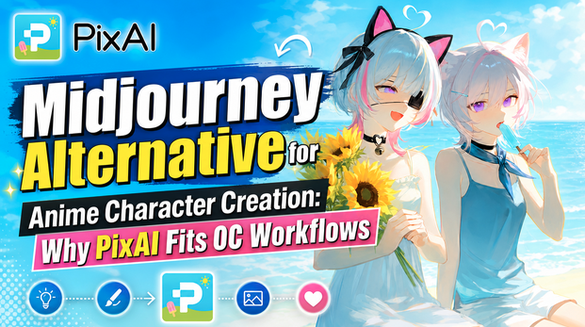
Midjourney Alternative for Anime Character Creation: Why PixAI Fits OC Workflows
Midjourney can produce polished AI artwork, and plenty of anime creators start there for good reason. The images look finished, and testing a new visual direction takes very little time.
Character projects, though, usually ask for something else. If you are building an original character (OC), you are rarely done after one image. You need the same character across new scenes, outfits, poses, and expressions, often over several weeks.
That is why creators look for a Midjourney alternative for anime work — not because one tool always beats the other, but because the process is different.
This article covers three things: what Midjourney does well, what character projects actually require, and where PixAI may fit an anime workflow more closely.
What Midjourney Does Well
Midjourney has a reputation for polished output, and it earns it. A single prompt can return an image with strong lighting, confident composition, and a clear artistic point of view.
It is also fast for exploration. If you are unsure whether a concept should feel painterly, cinematic, gritty, or soft, you can test several directions quickly and see which one holds your attention.
That makes it a reasonable fit for concept images, mood exploration, key visuals, and standalone artwork you plan to use on its own. Many creators use it as a visual sketchpad before committing to a longer project.
Here is the distinction worth keeping in mind: generating one strong image is not the same task as running a repeatable character-development workflow. Those are two different jobs, and a tool can be well suited to one without being built around the other.
Why Anime Character Projects Need More Than One Strong Image
The Same Character Across Multiple Images
An OC rarely lives in a single picture. A character sheet needs front and side views. A story sequence needs new locations. A VTuber concept needs expression variations. A seasonal post needs a different outfit on the same face.
The moment your project needs image two, the question changes from “is this a good image?” to “is this still the same character?”
Character Customization and Refinement
Most character designs do not arrive complete. You adjust the hair silhouette, settle on an eye colour, fix a costume detail that reads oddly, or push the style closer to the anime look you had in mind.
That means you need some way to steer visual direction — through style control, reference images, or targeted corrections — instead of regenerating from scratch and hoping.
In practice, the loop looks like this:
Character idea → several generations → selection → refinement → new scenes.
The real challenge here is continuity over time, not the quality of any single image. No AI platform, PixAI included, delivers guaranteed character consistency, so the useful question is how much control the workflow gives you when a result drifts.
How PixAI Supports Anime Character Workflows
PixAI approaches image creation from an anime-first angle, which changes what the workflow is organised around.
Anime-Focused Models
Creators can select models intended for anime-style work rather than adapting a general-purpose model toward an anime look. For character projects, that matters mainly because the starting point already sits closer to the style you want, so fewer generations are spent pulling the output back toward anime conventions.
Continuing an OC Project
Over time, this iterative approach can make it easier to explore different story moments or design variations while keeping the character recognizable. Rather than treating every image as an isolated creation, creators can gradually develop a broader visual library around a single OC.
LoRA Workflows
PixAI supports LoRAs, which creators use to lean a generation toward a particular character or style direction. At a high level, a LoRA acts as an additional layer of influence on top of a base model.
This is a control, not a promise. Results still vary, and no model or LoRA produces consistent characters automatically. The PixAI LoRA guide covers how this fits into a project in more detail.
Reference and Editing Workflows
Reference images give the generation something concrete to follow, which is useful once a character direction already exists. Editing then handles the smaller corrections — a costume detail, a background element, an expression that missed the mark — without restarting the concept.
Continuing an OC Project
Once a design is settled, the same character direction can move into new scenes, poses, and variations. That is where the difference between one-image tools and character workflows becomes visible.
A compact version of the whole loop:
Idea → PixAI generation → LoRA/reference refinement → editing → new character artwork.
If you are new to the platform, the PixAI quick start guide walks through the first generation.
Midjourney vs PixAI for Anime Character Creation
| Primary Strength | Polished, visually confident single images | Anime-focused generation with iteration options |
| Best For | Standalone artwork, concept and mood exploration | OC projects, character variations, ongoing anime work |
| Anime-Focused Models | General-purpose models directed toward an anime look | Models intended for anime-style output |
| LoRA / Character Customization | Not part of the workflow | LoRAs available for character or style direction |
| Reference and Editing Workflow | Reference and adjustment options within its own system | References and editing used to refine an existing direction |
| Long-Term Character Iteration | Suited to fresh images per prompt | Suited to continuing one character across outputs |
The better choice depends on the project rather than the tool. A one-off key visual and a twelve-image OC series are different assignments, and the workflow that fits one may feel like friction in the other.
Which Tool Fits Your Workflow?
Choose PixAI if…
- You mainly create anime art, original characters, or VTuber designs.
- Your projects are repeatable — the same character returning in new scenes, outfits, and expressions.
- You want anime-focused models, LoRAs, references, and editing available in one environment rather than stitched together across tools.
- You expect to refine a design over time instead of accepting the first strong result.
- For projects focused on individual illustrations or experimenting with visual ideas, that workflow may be all you need without investing time in longer character development.
Midjourney may still fit if…
- You mainly produce standalone polished images that do not need to match anything else.
- You are exploring broad visual directions early in a project and want variety quickly.
- Your work spans many styles rather than concentrating on anime.
- Long-term character iteration is not part of what you are doing.
Plenty of creators use both, treating one as the exploration space and the other as the production workflow.
Conclusion
The right Midjourney alternative depends on a simple question: do you want standalone images, or an ongoing anime-character workflow? If your project ends when the image looks good, a one-shot generator is enough. If your project continues — new scenes, new outfits, the same face — the tooling around iteration starts to matter more than any single output.
If you are working anime-first, try developing one OC on PixAI and see how far the character travels.

Safeguard Your Child Against Online Threat
Register Now Cancel Any Time
Available
on
Cancel Any Time
Available
on