
Published on Feb 05, 2026

Prasanta R
Experience OpenMusic AI: A Must-Try Music Generator Review!
What is OpenMusic AI?
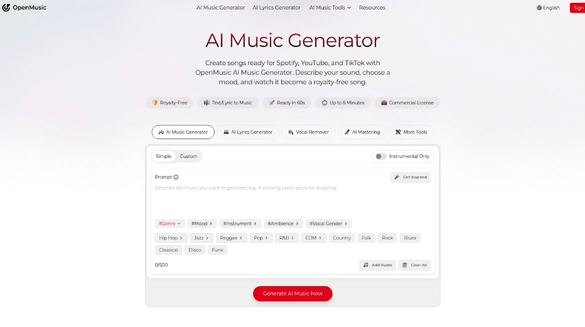
OpenMusic AI is a smart platform that lets everyone create songs easily, even if you have never made music before. By simply describing the sound you want or sharing your mood, OpenMusic AI turns your ideas into polished, royalty-free tracks that are ready for Spotify, YouTube, TikTok, or anywhere you want to share music.
This online tool uses powerful artificial intelligence to help artists, hobbyists, and even businesses produce professional music without any studio equipment. With OpenMusic AI, you don’t need to know complicated music theory or have a lot of technical skills. Everything is designed to be straightforward and fun for users of all ages.
One of the coolest features is the AI Singing Voice Generator. This tool lets you create singing vocals for your tracks, even if you can’t sing yourself! Want your song to sound like it’s performed by a completely different voice? Just pick the options you want, and the AI will generate the singing for you.
With OpenMusic AI’s AI Music Generator, you can describe your music style, set the mood, and make a song in less than a minute. Every music track you make is studio-quality, royalty-free, and comes with a commercial license. That means you can safely use your song in videos, games, or even sell it online.
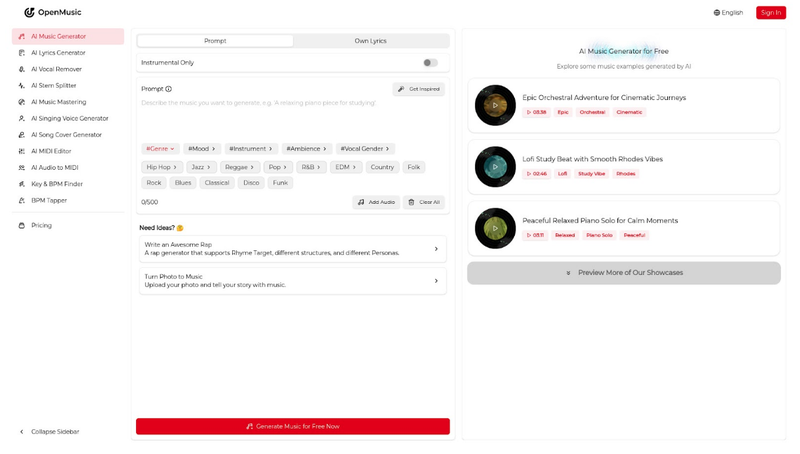
OpenMusic AI brings everything together, from lyrics creation to final mastering, so you can create, edit, and share your music all in one spot. It is a super flexible toolkit for anyone who wants to make music their way.
If you want to see how easy it is, just visit their song generator page and watch your own ideas turn into music. You can use the AI Singing Voice Generator along with many other tools, change genres, try new sounds, and experiment until your track is exactly what you want.
Pricing Information
When you use OpenMusic AI tools like the AI Singing Voice Generator, it’s important to know the pricing plans so you can choose what fits you best. OpenMusic offers several subscription options, each designed for different levels of music creation, whether you just want to try it out for free, make music as a hobby, or need professional tools for business.
With the Free plan, you can create up to 2 songs per month and use the AI Music Generator, AI Lyrics Generator, and more. This is perfect if you’re just getting started or only need a few tracks. It gives you personal use only.
If you want to use your songs in commercial projects like videos and games, the Starter, Hobby, and Professional plans offer more tracks, downloads, and commercial licenses. These plans let you use all the music features, including advanced tools like the AI Singing Voice Generator and AI Mastering. The Starter plan is great for personal brands and creators, Hobby is for committed artists, and Professional is perfect for businesses or anyone who needs lots of new music every month.
No matter which plan you pick, all generated music is royalty-free and cleared for commercial use. You always get a license that protects your rights, so you don’t need to worry about copyright issues. Explore more or view the details anytime at the official OpenMusic Licensing page.
Pricing is flexible—pay monthly or save more when you pay yearly. You can cancel anytime. Whatever your music needs, there’s a plan for everyone, making it easy to get started with the latest in AI music creation.
How to Use OpenMusic AI
Making music is now easier than ever, thanks to OpenMusic AI. You don’t need to be a musician or have fancy equipment to create amazing songs or catchy tunes. With simple steps, you can go from a basic idea to a studio-quality track in just a few clicks. Let’s walk you through using some of the coolest tools on OpenMusic AI, including the AI Lyrics Generator, AI Singing Voice Generator, and AI Stem Splitter.
OpenMusic AI has turned music creation into an easy and fun experience for everyone, whether you want to write lyrics, generate a singing voice, or transform a song for karaoke or remixing. Here is a simple guide showing how to use these fantastic tools.
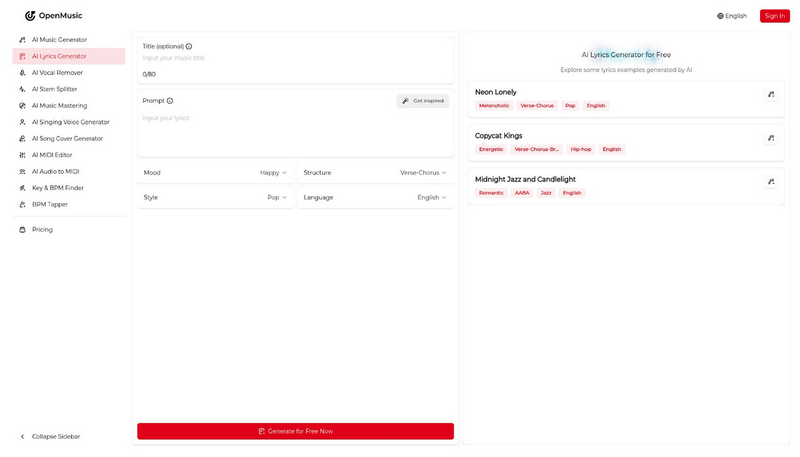
- Start by creating lyrics with the AI Lyrics Generator. Just type in your idea, theme, or some lines of text, and the smart AI will suggest rhymes and lines to help you shape a full song.
- Next, bring your lyrics to life with the AI Singing Voice Generator. Copy the lyrics you created, paste them in, and choose a vocal style. The AI will sing your words back in the voice and style you prefer.
- If you have an existing song and want to work with parts of it, use the AI Stem Splitter. This tool lets you split a full song into vocals and instrumentals. You can easily remove voices for karaoke or keep just the instruments for remixing.
Each tool is easy to use and you can keep experimenting with different lyrics, voices, or arrangements until you’re happy with your music. These steps make it possible for anyone to create, edit, and produce songs that sound professional and are ready to share online.
You don’t need any special music knowledge—just follow the simple instructions, and OpenMusic AI turns your ideas into real, listen-ready tracks.
Conclusion
If you’re looking for a simple way to make music online, OpenMusic AI offers everything you need. Whether you want to generate full songs, change singing voices, master tracks, or remove vocals, this platform makes the whole process smooth and easy—even if you don’t have music-making experience. With powerful tools like the AI Singing Voice Generator, AI Music Mastering, and many creative options, anyone can take their ideas and turn them into studio-quality tracks. Every song is royalty-free and commercial ready, so you can publish, share, or use your music anywhere without worrying about copyright issues.
Thanks to smart AI features, you no longer need a recording studio or expensive equipment. You can edit, remix, or convert your music, making it sound professional and unique. OpenMusic lets you try new styles, experiment with sounds, and create music for videos, games, podcasts, and more. If you’re an artist, content creator, or just want to make music for fun, OpenMusic is perfect for everyone.
Start creating your own songs now and experience how easy, fast, and enjoyable music production can be with OpenMusic AI. Don’t miss out—discover your sound and join the world of AI-powered music today!

Safeguard Your Child Against Online Threat
Register Now Cancel Any Time
Available
on
Cancel Any Time
Available
on