
Published on Dec 22, 2025

Prasanta R
Fast & Stunning Logos: Adobe Express Compared with Design.com
You probably have experienced the moment when you begin a new company, side project, or new product line, and everything seems exciting…until you are suddenly required to create a logo. That can't wait a month or look sloppy.
When you are at this point, most people will search on Google for things such as "logo generator using AI," "fast logo maker," or "professional logo I don't want to pay a designer for." And very soon after, there will likely be two companies that will appear in your search results: Design.com and Adobe Express.
Overview of AI-Driven Logo Design Platforms
Design.com and Adobe Express both claim to deliver fast, professional results. Both also use AI to assist in the design process. However, they each take a vastly different approach to creating logos for brands. One has been created with logos and brand ownership as its primary focus. The other is a portion of a far greater creative environment.
Below, we will review some of the key differences between these two companies and which may be a better option for your brand.
Comparison Chart
| Feature | Design.com | Adobe Express |
| Overall Focus | Dedicated logo maker and branding platform | All-purpose design tool with logo capabilities |
| Logo Library | Largest logo template library in the world | Smaller logo template selection |
| AI Tools | Logo, website, business name, business cards | Text-to-image, text effects, content creation |
| Design Style | Professional, brand-ready, business-focused | Flexible, creative, content-driven |
| Ease of Use | Extremely simple and beginner-friendly | Easy, but more tools and decisions |
| Ownership & Licensing | Extended licenses with exclusive logo removal | Standard usage rights |
| File Formats | PNG, JPG, SVG, PDF, EPS | Varies by plan |
| Best For | Fast logo creation with full ownership | Ongoing branded content and creative flexibility |
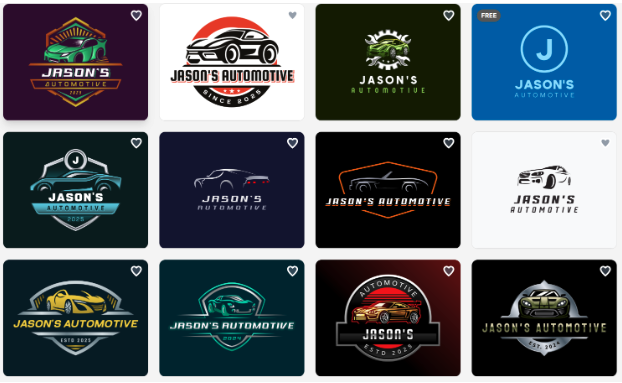
Made by Design.com
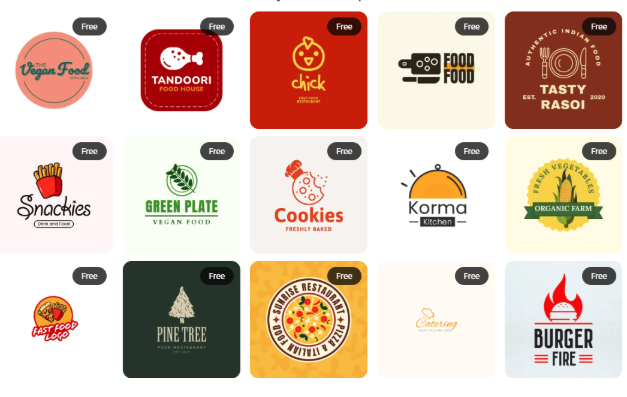
Made by Adobe Express
Understanding Each Platform’s Design Focus
Design.com
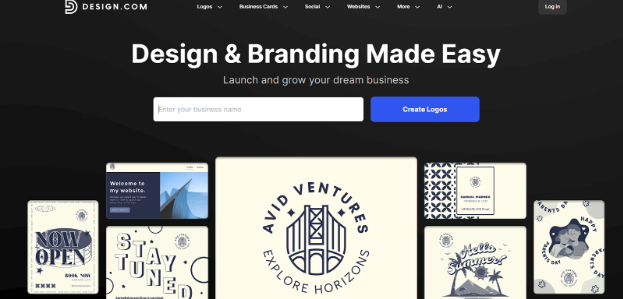
Design.com, as the top logo maker, was created with a single goal in mind: to help you rapidly create a high-quality, unique logo for your business. Once you have entered your business name, Design.com has an easy-to-follow process where you will receive multiple logo options within minutes.
This is why Design.com was ranked as the #1 rated AI logo maker by third-party reviews and ratings. In addition to being quick, Design.com is also extremely user-friendly and simple, so users don't get bogged down in making design choices.
Its logo library is the largest available, offering more than 360,000 professionally designed logo templates, giving businesses extensive choice across industries and styles.
Every aspect of Design.com, from layout to font, feels very structured and professional-ready.
Adobe Express
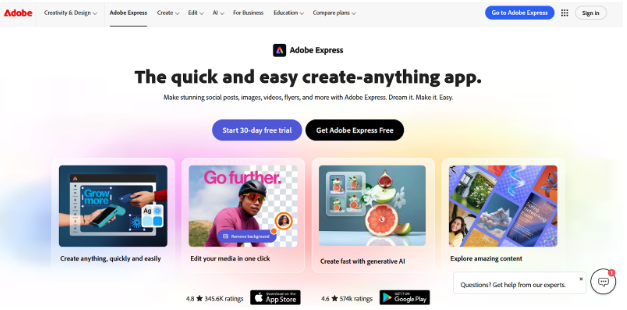
Adobe Express takes a different route compared to Design.com. Instead of focusing solely on creating logos, Adobe Express is a flexible tool that can be used to create all types of content, including social media posts, videos, PDFs, PowerPoint presentations, etc.
As a result of this flexibility, Adobe Express smoothly integrates into the larger Adobe ecosystem and utilizes Adobe Firefly AI for text-to-image creation as well as other creative effects. This makes the tool best suited for those users who like to experiment and use their new logo as a piece of a larger content creation workflow.
AI Tools and Design Capabilities
Both platforms rely heavily on AI, but they use it in different ways.
Design.com has over 50 AI-powered branding tools.
These tools include:
- AI logo generator
- AI website builder
- AI business card generator
- AI business name generator
This approach allows users to move from a logo idea to a complete brand identity without switching platforms.
Adobe Express offers users text-to-image creation and text effects. The capabilities of Adobe Firefly were specifically created for rapid visual ideation for marketing/social media content rather than logo-specific workflows, including:
- Text-to-image generation
- Text effects and creative styling
- Rapid content creation for digital channels
Design Style and Customization
Design.com has a much stronger structure and consistency. You get some level of customization that’s guided (like changing the colors and fonts or switching layouts), but results maintain a more cohesive feel across the board. This is especially helpful for those without any design experience who want things to look reliable and well-designed.
Adobe Express offers more freedom. You can edit layouts however you want, stack things and reset them, apply effects in lots of different ways, and build a design from scratch (or make an existing design your own). So you have more flexibility if you want to experiment and get creative with things, but you might also find that you’re spending a decent amount of time refining a design.
Ownership, Licensing, and Commercial Safety
Design.com stands out for logo ownership and exclusivity. Logos are exclusive to the platform, fully checked, and commercially safe. Extended licensing allows purchased templates to be removed from the library.
- Exclusive logo templates
- 100% commercially safe designs
- Extended licenses for full ownership
Adobe Express offers standard commercial usage rights. Templates are reusable by other users, with no exclusivity.
- Standard commercial usage
- No exclusive logo ownership
Speed, Workflow, and File Formats
Design.com is built for speed. Since its tools are made for non-designers, you can go from concept to completed logo in minutes. Download completed logos in all the essential professional formats: PNG, JPG, SVG, PDF, and EPS for digital and print.
Adobe Express also supports multiple formats and is fast for content creation, but if certain formats are required, access might require a specific plan.
To Wrap Up
Both Design.com and Adobe Express offer strong AI-powered design solutions, but they’re built for different priorities. Whatever is right for you will come down to your goals: whether you’re launching a brand and need a logo you fully own or building out a longer-term content workflow beyond brand design.
Design.com is ideal for entrepreneurs and businesses seeking fast, distinct brand creation without the complexity of broader content workflow. So, what keeps you away from experiencing its full potential?

Safeguard Your Child Against Online Threat
Register Now Cancel Any Time
Available
on
Cancel Any Time
Available
on