
Published on Oct 26, 2025

Prasanta R
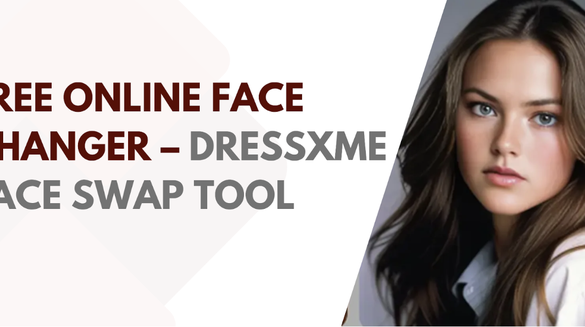
Free Online Face Changer – DRESSXME Face Swap Tool in Browser
What was once limited to studios and professional editors is now accessible in your browser.
With the DRESSXME Face Swap tool, you can upload a source face and a target photo, and let AI detect facial landmarks, align pose, match lighting and seamlessly blend textures so the swap appears natural.
The process is fast, easy and designed for both fun and creative applications.
How the Workflow Works
- Upload the target face photo – Choose a clear image of the person whose face you want to use.
- Upload the source (or background) photo – This is the image in which you want the face to appear.
- Let the AI do its job – This AI Face Swap Tool detects key facial points like eyes, nose and mouth, aligns the source face to the target’s angle, matches skin tone, lighting and texture, then generates a download-ready swapped image.
- Download and share – Once the result appears, you can save it and use it as you see fit.
This workflow emphasises simplicity and speed upload, wait a few seconds, and receive a realistic result.
Key Features of the Tool
- Free & Browser-based: You don’t need heavy software or specialised hardware; the tool works directly in your browser.
- Realistic Swaps: Whether you swap with a celebrity, friend, or even an AI-generated character, the system supports multiple scenarios and blending styles.
- Wide Creative Use-cases:
- Premium Upgrades Available: While the base face-swap functionality is free, there are subscription tiers for unlimited generations, extra styles, premium features and watermark removal.
- Privacy & Security Focus: The tool highlights “100% safe & secure” and “Always private and fully secure”.
Why This Tool Is Worth Trying
- Speed & Accessibility: What used to require hours of manual photo-editing now takes only a few clicks.
- Versatility: Use it for fun (social posts, memes), creativity (artistic edits, concept visuals) or even professional use (mock-ups, mood-boards).
- User-friendly Interface: Even beginners can jump in quickly — no prior editing skills required.
- Browser-only Convenience: Works without installing large software; great for quick edits or testing ideas on the go.
- Credibility: The tool emphasises security and transparency around payment and usage.
Best Practice Tips for Quality Swaps
- Use sharp, high-resolution photos with clear facial features—this makes landmark detection and alignment more accurate.
- Match head angle and lighting between source and target images — the closer they are, the smoother the blending.
- Include the full face (forehead to chin) in the crop – avoids awkward merges at edges.
- Avoid heavy shadows, glare or extreme angles in the images — these make alignment harder and the result less natural.
- If the edited face looks off (colour mismatch, odd edges), try a different photo or adjust the crop/angle.
Responsible Use & Ethical Considerations
- Experience: The tool is designed for all user levels; its intuitive flow ensures you can focus on creativity, not technical hurdles.
- Expertise: The underlying technology uses facial-landmark detection, pose estimation and texture blending to achieve the effect. This reflects a solid technical foundation.
- Authoritativeness: While the tool is creative and fun, you should always ensure you have the right to use both the source face and the target image (especially for commercial use or public sharing).
- Trustworthiness: Choose tools like this one that state their privacy, security and usage policies clearly for instance, how they handle uploads, whether images are stored, and cancel/subscription policies.
Final Thoughts
With the DRESSXME Face Swap tool, face-swapping has moved from niche editing tricks into a simple browser-powered experience. Whether you’re creating a fun meme, visualising yourself in a different identity, or producing a concept image, this tool offers a fast, accessible way to do it.
Still, the power of the technology also invites responsibility: use face swaps ethically, respect image rights and privacy, and opt for trusted platforms.
Ready to give it a try? Upload your two images, click ‘Swap’, and explore what you can create.

Safeguard Your Child Against Online Threat
Register Now Cancel Any Time
Available
on
Cancel Any Time
Available
on