
Published on Sep 01, 2026

Prasanta R
The Privacy Paradox in Digital Monitoring: How to Safeguard Your Data Across Per
People now often use the same device for both work and personal communication. This makes it much harder to keep the two parts of life separate.
To protect confidential data, experts recommend hosting sensitive business systems and files on secure VPS servers alongside comprehensive encryption and authentication settings. This is of great importance in reducing the chances of sensitive information being exposed through shared or poorly maintained third-party infrastructure.
The privacy paradox is the phenomenon where people claim to value their personal information highly but, at the same time, share their data with dozens of third-party applications. The problem is only compounded by increased employer and analytics scrutiny.
What Is the Privacy Paradox and Why Does It Affect Everyone?
The term "privacy paradox" describes the apparent contradiction between people's words and actions in the digital environment. Most users verbally express deep concern about how large companies collect and use their personal information.
But in practice, these same people readily agree to lengthy user agreements. They often don't read them, thereby granting apps permanent access to their geolocation and enabling them to connect to open Wi-Fi networks in cafes or airports confidently.
This behavior is explained by several simple factors. Modern software interfaces are designed to make registration simple and to get you into the services you want to use quickly. The "Accept All" button is always front and center, while more granular privacy settings are buried deep in the menus.
Furthermore, users often fail to realize the true value of their personal data and the scale of its potential compromise. Information collection occurs completely unnoticed, and the negative consequences of a leak are far from immediately apparent.
The situation is further complicated by the fact that the traditional boundaries between work and personal life have virtually disappeared in the digital age. Many employees use personal smartphones and laptops to handle work-related matters or, conversely, access personal accounts from corporate computers.
Threats to Personal Data on Work Smartphones and Laptops
Using a single computer for work and play creates serious security vulnerabilities. When a corporate device is used for personal purposes, the employer can access private correspondence, personal photos, banking applications, and detailed browsing history. Using a personal laptop for official tasks without proper security measures poses a direct risk of leaking an organization's trade secrets.
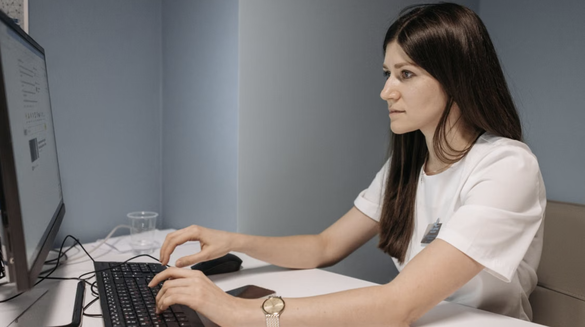
Many companies install special control and monitoring programs on corporate laptops. These systems track employee activity during the working day, record keystrokes, and check the Internet resources visited. As a result, personal passwords, family photos, and confidential messages can become freely available to company administrators.
To understand the scale of such risks, it is worth studying in detail the main sources of vulnerabilities and leaks:
- use of open wireless networks;
- saving personal passwords by the browser;
- installation of unupdated software;
- following dubious links;
- using simple text combinations;
- transfer of gadgets to third parties.
Each factor significantly increases the chance of losing valuable and personal information. Even a single act of user negligence can compromise an organization's entire corporate network. Therefore, it is important to promptly address such vulnerabilities and practice basic digital hygiene on every device you use.
An additional challenge is that many enterprise monitoring systems run continuously in the background. The user may not even suspect that all their actions are automatically recorded and stored on the company’s remote servers. This leads to the unintentional disclosure of information that the person never intended to share with anyone.
How Employers Track Employees' Devices
Modern corporate control tools have become extremely advanced, technologically advanced, and deeply penetrating. Organizations actively use mobile device management systems, data loss prevention tools, and automated time-tracking programs. These technical solutions allow administrators to remotely manage device settings, block specific functions, and track the computer's exact location in real time.
Control systems can collect a wide range of information about user actions. They record program launch times, take screenshots at specified intervals, log correspondence in work instant messengers, and analyze the contents of sent files in detail.
Although such harsh measures are often justified on the grounds of security and protection against leaks of commercial information, they regularly violate individuals' rights to privacy. Particularly challenging are situations where employees are allowed to use their own devices for work.
Understanding how monitoring systems work allows employees to develop their daily digital habits. Security services can save any actions and analyze them on a work computer. For digital survival, it is therefore important to consciously choose communication channels and store personal files.
Practical Steps for Separating Personal and Work Spaces
The most reliable and effective method of protection is the complete physical separation into personal and work devices. However, in practice, this ideal approach is not always possible due to high financial costs and logistical challenges.
Yes, a person may have to use the same computer for absolutely everything. In this case, however, they must implement a strict logical separation between data and accounts.
Separating digital streams is the most important and effective way to protect your personal life from prying eyes. Avoid mixing work and personal accounts on the same computer or phone. Creating separate, independent user profiles significantly reduces the potential risk of data leakage.
Experts strongly recommend regularly following the following key rules of digital hygiene:
- creating separate user profiles;
- regularly deleting temporary files;
- disabling automatic photo saving;
- prohibiting account synchronization;
- using complex, unique passwords;
- checking mobile app permissions.
Following these simple and accessible recommendations creates a reliable barrier between work information and your private life. As a result, users retain complete and continuous control over their personal files.
It's also very helpful to use separate internet browsers for work and personal use. For example, use one browser exclusively for accessing corporate portals and work email, while the other is used for personal shopping, social media, and entertainment. This prevents cross-tracking via cookies and completely eliminates the risk of accidentally transmitting personal passwords to corporate databases.
Please pay attention to the settings for autofilling forms and saving history in web browsers. Disabling these features on work devices ensures that your personal data doesn't remain in the computer's memory. This simple habit will save you a lot of stress and prevent potential problems at work.
Technical Methods for Protecting Network Traffic and Devices
In addition to simple organizational measures, a person needs a range of modern technical information security tools. The most important element of reliable protection is data encryption, both on the drive and during transmission over the global network. Modern operating systems have built-in storage encryption tools. These reliably protect information in the event of physical theft or loss of a device.
Information security requires the constant use of modern software and encryption algorithms. High-quality technical tools help hide your real IP address and encrypt all internet traffic. This completely eliminates data interception by network providers and third-party observers.
Security experts identify the following basic technical tools:
- enabling two-factor user authentication;
- activating a built-in network firewall;
- creating regular backups;
- using strong encryption algorithms;
- configuring virtual private networks;
- keeping your operating system up to date.
All of these technical solutions work most effectively when integrated into a consistent, integrated system. A systematic and competent approach to security helps minimize the vast majority of modern digital threats. As a result, users gain complete confidence and peace of mind when working on any external network.
Be extra careful to protect your network connection when you are in a public place. When working from home, at a café, or on the move, all internet traffic must go through specially secured channels. This will protect your personal data from hackers trying to steal it and completely prevent your ISPs from snooping on your network activity.
It is also a good security practice to regularly check the installed programs and remove any unused software. Every extra program is an attack surface. The fewer applications you have installed, the smaller the attack surface, and the harder it is for your device to be hacked.
The Future of Digital Control and User Rights Protection
The technologies for digital control and monitoring are changing. Modern artificial intelligence algorithms allow tracking systems to do more than just collect raw data. They can thoroughly investigate user behavior, automatically identify deviations from the norm, and forecast potential violations.
At the same time, there is a growing global awareness of the urgent need for strict legal regulation of digital privacy issues. International data protection laws and regulations set a framework for employers and software developers.
However, legal norms often fail to keep pace with the rapid development of technology. Therefore, the primary responsibility for the security of personal data still rests with the individual.
Developing a high level of digital literacy and a culture of personal security is becoming a necessary basic skill for every modern person. Continuous training and attention to detail help protect one's rights in the digital age.
Digital monitoring is now an integral part of the workplace today, but it should not threaten the personal safety and privacy of individuals. The first and most important step in developing a responsible attitude toward your digital footprint is understanding the privacy paradox.
To ensure the highest level of information security across all devices, we implement comprehensive security measures, including robust encryption, regular software updates, and rigorous digital hygiene standards. In a fast-changing world, high-quality technical solutions and personal self-discipline are effective countermeasures against any digital threats.

Safeguard Your Child Against Online Threat
Register Now Cancel Any Time
Available
on
Cancel Any Time
Available
on