
Published on Oct 23, 2026

Prasanta R
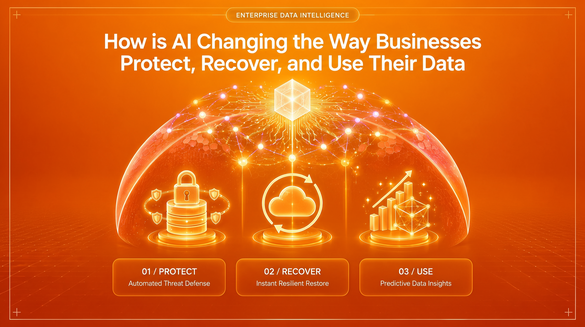
How is AI Changing the Way Businesses Protect, Recover, and Use Their Data
AI is changing business data on three fronts: it creates new risks, new ways to recover from damage, and new ways to turn information into decisions.
For years, data work was split into separate jobs. IT teams protected data, backup tools stored copies of it, and analysts turned it into reports. AI is blurring those lines. AI tools now read, write, and act on business data directly, often faster than any person can review.
That shift has three consequences. Mistakes and attacks spread faster. Recovery has to be more precise. And every AI-driven decision depends on whether the underlying data can be trusted.
We asked three experts how AI is changing each part of that picture: a database protection founder, a data recovery CEO, and a UX design leader who builds data-heavy products.
Protecting Data: AI is Now Both the Risk and the Defense
AI has made attacks on business data faster and more convincing. Attackers use it to write better phishing emails, find weak points sooner, and adapt malware on the fly.
Defenders are using AI too. Behavioral monitoring can now flag unusual activity, such as a user suddenly reading thousands of records or files being encrypted in bulk, while an attack is still underway.
But the newest risk often comes from inside. Companies are giving AI coding assistants and agents direct access to their databases to write migrations, clean up records, and fix bugs. There have already been public incidents in which AI tools deleted or overwrote production data during routine tasks. The problem is rarely malice. It is speed and scale: one wrong instruction can change thousands of rows in seconds, before anyone notices.
Emad Alharbi, Founder of RowSafe, sees this as the data problem to prepare for in 2027:
"One data problem I would prepare for in 2027 is automated changes to production data spreading faster than teams can review them. As businesses give AI tools more access to databases, an incorrect migration or cleanup instruction can damage live data and make diagnosis harder.
The preparation should be practical: use narrowly scoped credentials, keep agents read-only unless a task needs writes, require review for destructive operations, and log what changed and who authorized it.
Pair those controls with tested recovery. Before a risky change, create a recovery checkpoint and confirm that the required backups and logs are available. Test restores regularly and decide how to reconcile valid writes made after an incident, rather than blindly rewinding production. That gives teams a way to use automation while keeping mistakes recoverable."
His point is that the answer is not to ban AI from production systems. It is to treat AI tools like any powerful new team member: give them only the access they need, review their riskiest actions, and make sure every mistake can be undone.
Recovering Data: AI helps find the Damage, but Recovery must be Exact
Backups are every business's safety net, yet many companies only discover a problem with their backups in the middle of an incident. A copy may be incomplete, silently corrupted or impossible to restore quickly.
AI is starting to close that gap. It can predict hardware failures from drive health signals, scan backups for hidden corruption, and flag when a backup suddenly looks different, such as when files have been encrypted by ransomware. It can also help pinpoint when damage began, so teams restore to the moment just before it.
There is a limit, though. Recovery is not a place for "close enough." Generative AI is good at producing answers that look right. A recovered invoice, ledger, or customer record has to match the original exactly, byte for byte.
Chongwei Chen, President and CEO of DataNumen, sees protection, recovery, and decision-making becoming tightly linked:
"AI is connecting data protection, recovery, and decision-making in ways we haven't seen before. On protection, behavioral monitoring can now spot ransomware within minutes, though attackers use AI too, so businesses must plan for breaches.
In recovery, AI predicts drive failures, checks backups for hidden corruption, and helps locate damaged data, but the recovery itself must be exact, not just plausible.
And for decisions, AI is only as good as its data. Corrupted archives produce confident but wrong answers. My advice: keep offline backups, test restores regularly, and treat data integrity as the foundation of any AI strategy."
Both Chen and Alharbi land on the same habit: test restores regularly. A backup that has never been restored is an assumption, not a recovery plan.
Using Data: AI only Helps if People Trust what it Shows
AI has made it easy to produce reports, summaries, forecasts and dashboards in seconds. But more output does not automatically mean better decisions.
AI-driven decisions fail in two common ways. The first is bad input: as Chen warns, corrupted or outdated data produces confident but wrong answers. The second is poor presentation. When people cannot see where a number came from, or how sure the system is, they either trust it blindly or ignore it.
This is where design matters. The interface between AI and the people using it decides whether insights turn into action.
Marc Caposino, CEO and Co-Founder of Fuselab Creative, explains:
"AI has made data far easier to produce, but not easier to understand. Many companies now have AI-generated summaries, forecasts, and dashboards that nobody fully trusts, because they can't see where a number came from or how confident the system is.
Good design closes that gap. Show the source behind every insight, make uncertainty visible instead of hiding it, and give people an easy way to question or correct what the AI tells them.
The goal isn't more charts; it's fewer, clearer decisions. When users understand why AI recommends something, they act on it. When they don't, they quietly go back to spreadsheets and gut feeling."
In other words, protection and recovery keep data trustworthy, and design makes that trust visible to the people who rely on it.
What Businesses Should Do Now?
The experts' advice comes down to nine practical steps, grouped by the three parts of the data lifecycle.
Protect
- Give AI tools the least access they need. Use narrowly scoped credentials and keep agents read-only unless a task truly requires writes.
- Require human review for destructive changes. Deletes, bulk updates, and schema migrations should not run unchecked.
- Log every automated change. Record what changed, which tool did it, and who authorized it.
Recover
- Create a recovery checkpoint before risky changes. Confirm the backups and logs you would need are actually available.
- Keep at least one isolated or offline backup. Store it separately from production, so one attack or mistake cannot wipe out both.
- Test restores regularly. Automate the tests if you can, and measure how long a full restore takes.
- Plan how to reconcile after an incident. Decide how to keep legitimate work done after a mistake, instead of blindly rewinding everything.
Use
- Treat data integrity as the foundation of your AI strategy. Verify the data feeding your AI models and reports before relying on their answers.
- Design AI outputs people can trust. Show sources and confidence, and favor fewer, clearer views tied to real decisions.
The Bottom Line
AI does not replace the fundamentals of data management. It raises the cost of skipping them.
Automation lets businesses move faster, but only if every mistake can be undone. Recovery tools are getting smarter, but the result still has to be exact. And AI insights only create value when they rest on clean data and are presented in a way people trust.
The businesses that benefit most from AI will not be the ones that adopt it fastest. They will be the ones that can protect, recover, and understand their data when something goes wrong.

Safeguard Your Child Against Online Threat
Register Now Cancel Any Time
Available
on
Cancel Any Time
Available
on